
Reviews
Galactic Guardian: Space Defender Arcade is a delightful 2D space shooter that offers pure, uncomplicated fun. The controls are incredibly responsive, making it easy to dodge enemy fire and collect bonuses. The increasing difficulty keeps the game challenging without being frustrating. The vibrant graphics and smooth performance make it a joy to play on any device. Perfect for both casual gamers and arcade fans.
About this game
Game Introduction
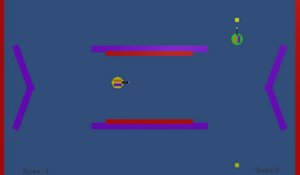
Galactic Guardian: Space Defender Arcade is a 2D space action game that places you in the role of a protector of the galaxy. The main goal is to overcome enemy ships while gathering valuable bonuses along the way. The game includes multiple levels, each designed to gradually increase in difficulty and keep players engaged. With its simple controls and fast-paced action, it is suitable for both quick gaming sessions and longer play periods. The colorful graphics and smooth gameplay create an enjoyable experience for players of all ages. Whether you are a casual gamer or an arcade enthusiast, this game offers endless fun as you defend the galaxy from incoming threats. The game is designed to be accessible, with no complicated storylines or complex mechanics, making it easy for anyone to pick up and play.
How to Play
Playing Galactic Guardian: Space Defender Arcade is straightforward and intuitive. Players use their mouse or touchscreen to aim and shoot at enemy ships that appear on the screen. The objective is to overcome all enemies in each level while collecting power-ups and bonuses that boost your score or provide temporary advantages. Players must also move their ship carefully to avoid enemy fire and collisions. The game progresses through various stages, each introducing new enemy types and faster action. No complicated controls are needed—just point, shoot, and survive. This makes it perfect for players of all skill levels, allowing you to jump right into the action without needing any tutorials or prior experience.
Game Features
Galactic Guardian: Space Defender Arcade includes engaging 2D arcade action, multiple levels, and a bonus collection system. The game is mobile-friendly and can be played directly in a browser on any device, from desktop computers to mobile phones, with no downloads required. It offers a full-screen mode for a more immersive experience. The controls are simple and responsive, making the game accessible to players of all ages. The fast-paced nature and increasing difficulty provide a satisfying challenge for both casual and dedicated players. The game is designed to be replayable, with each playthrough offering a slightly different experience due to the variety of enemy patterns and bonus placements.
Tips for Success
To succeed in Galactic Guardian: Space Defender Arcade, practice regularly to improve your aiming and dodging skills. Learn the movement patterns of different enemy types to anticipate their attacks. Collect every bonus and power-up you see, as they can significantly boost your score or give you temporary advantages. Keep an eye on your energy bar and avoid taking unnecessary damage. Stay focused and try to clear each level efficiently to progress further. With persistence and quick reflexes, you can become the ultimate space guardian.













Comments
Sign in to leave a review
No account? Create one
No comments yet.