
Reviews
Greeting Card Creator Workshop succeeds by keeping things simple. The template selection and decoration tools are intuitive, making it accessible for young children and adults alike. The variety of cheerful items allows for personal expression, and the print function adds real-world value. While the lack of a save feature is a limitation, the browser-based design means no setup is required. It is a solid choice for a quiet afternoon craft activity.
About this game
Getting Started with Card Design
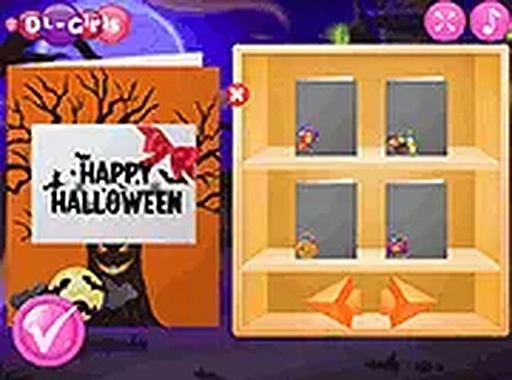
Greeting Card Creator Workshop opens with a selection of blank card templates. Each template provides a foundation for your design, with space for decorations and a message. The interface is straightforward: choose a template, then move to the decoration screen where you can add items. The process is designed to be accessible for all ages, with clear buttons and simple controls. There is no time limit or scoring system, so you can work at your own pace.
Decoration Tools and Options
Once you select a template, a palette of decoration items appears. These include seasonal elements such as smiling pumpkins, friendly ghosts, and playful bats, as well as other cheerful icons. You can drag each item onto the card and adjust its size and rotation using on-screen handles. The items can be layered to create depth, and you can move them around until the layout feels right. The tool encourages experimentation without any penalty for mistakes.
Printing and Sharing Your Creation
After finishing your design, a print option becomes available. This allows you to produce a physical copy of your card on standard paper. The print preview shows exactly how the card will look, including the placement of all decorations. You can also save the design by printing to a PDF file for digital sharing. This feature makes it easy to send your card to someone who lives far away.
Browser-Based Convenience
The entire experience runs inside a web browser. There is no need to download any software or create an account. The game works on most modern browsers, including Chrome, Firefox, and Safari. For a more focused view, you can switch to full-screen mode, which hides browser toolbars and lets you concentrate on your design. This approach keeps the activity accessible on different devices, from desktop computers to tablets.
Creative Expression for All Ages
This tool is designed to be family-friendly and suitable for children and adults alike. The decoration items are all cheerful and appropriate for a general audience. There is no chat feature or external links, so the environment remains safe for younger users. The activity encourages creative thinking and fine motor skills as children arrange items and make design choices. Adults can use it to create personalized cards for holidays, birthdays, or thank-you notes.











Comments
Sign in to leave a review
No account? Create one
No comments yet.