
Reviews
This browser-based puzzle stands out for its focused, no-distraction design. Children learn to distinguish rock textures through repeated matching, and the lack of timers or scores keeps the atmosphere relaxed. The gradual increase in pattern complexity ensures steady skill growth without overwhelming young players. Parents will appreciate the safe, ad-free environment and the fact that no reading is required. It is a thoughtful introduction to geology that makes learning feel like play.
About this game
Learning Through Observation
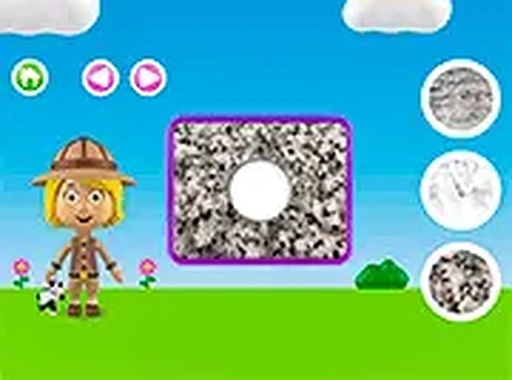
This puzzle centers on a simple but effective concept: children view a close-up image of a rock surface and then pick its match from a small set of choices. The activity trains the eye to notice subtle differences in grain, pattern, and color. Over time, players build a mental library of geological features, turning casual play into genuine learning. The interface keeps distractions minimal, allowing young minds to focus on the visual details that define each texture.
Level Structure and Pacing
Each stage introduces a fresh rock texture, gradually expanding the range of patterns a child encounters. Early rounds might feature obvious contrasts, while later ones ask for finer distinctions. This gentle ramp-up helps prevent frustration and keeps the experience encouraging. Because the game does not rely on timers or scores, children can work at their own speed, repeating any texture as many times as they like until the concept clicks.
Designed for Independent Play
The controls are straightforward: a tap or click selects an option, and the game immediately confirms whether the choice is correct. No reading is required, making it accessible to pre-literate children. The visual feedback uses clear icons and gentle animations rather than words, so kids can navigate the entire experience on their own. Parents will appreciate the ad-free environment and the absence of external links or purchase prompts.
Accessibility and Platform Reach
Because the game runs entirely in a browser with no downloads or installations, it works on virtually any device with an internet connection. Whether on a desktop computer, a tablet, or a smartphone, the layout adjusts to fit the screen. Using full-screen mode can help younger players see texture details more clearly. This cross-platform flexibility means the puzzle can be played at home, in the car, or during a short break at school.
Building a Foundation for Science
While the immediate goal is matching, the underlying purpose is to spark curiosity about the natural world. Each rock texture is a real geological sample, giving children early exposure to terms like smooth, grainy, layered, or porous. The game does not lecture; it simply presents these textures in a playful context. Over multiple sessions, kids start to recognize and name the differences, laying groundwork for more advanced earth science topics later in their education.




Comments
Sign in to leave a review
No account? Create one
No comments yet.