
Reviews
Word Sense Challenge strips the five-letter guessing format down to its essentials: six tries, three color signals, and no clock. That restraint is its main strength, since it keeps the focus on vocabulary recall and logical elimination rather than speed. The lack of registration and the browser-based design make it convenient for short sessions. Its limitation is equally clear: players seeking timers, scores, or competitive modes will not find them here.
About this game
How the Guessing Loop Works
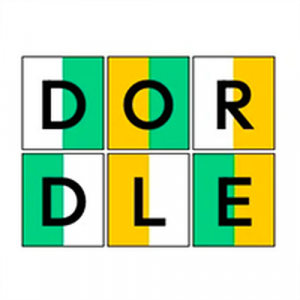
Every round of Word Sense Challenge centers on a single hidden five-letter word. You type a guess using the on-screen keyboard or your device's keyboard, then submit it. The game immediately colors each letter to show how close you came. Green means that letter is correct and sits in the right spot. Yellow means the letter belongs in the word but belongs somewhere else. Gray means the letter does not appear in the solution at all. Six guesses are available before the round ends.
Reading the Color Clues
The feedback system is the whole puzzle. Early guesses usually eliminate common letters, while later guesses test specific positions. Because each color tells you something different, you can track which letters are confirmed, which are misplaced, and which are ruled out. That narrowing process rewards careful letter placement over fast typing. The game does not rush you, so you can study the board between attempts.
No Timer, No Score, No Pressure
Word Sense Challenge omits timers and score counters entirely. That design choice changes how the game feels: instead of racing a clock, you sit with the clues and reason through them. After you solve the word or use all six guesses, a new puzzle appears automatically. There is no cap on how many rounds you can play, so sessions can be as short as one puzzle or as long as you like.
Who It Suits
The interface is deliberately plain, with no menus to learn and no account to create. It runs in a browser on desktop and mobile, adjusting to different screen sizes. Children and adults can both pick it up without instruction, which makes it a reasonable fit for family play or a quiet break. The content stays within wordplay and logic, with no ads or distracting elements mentioned in the design.
Compatibility
FAQ
Comments
Sign in to leave a review
No comments yet.











Editorial Notes